
Magic Data Recovery Professional Windows File Recovery Software Lifetime Deal
in DealFuel Lifetime Deals , Utilities Lifetime DealsChoose Your Desired Option(s)
Professional Data Recovery Made Easier
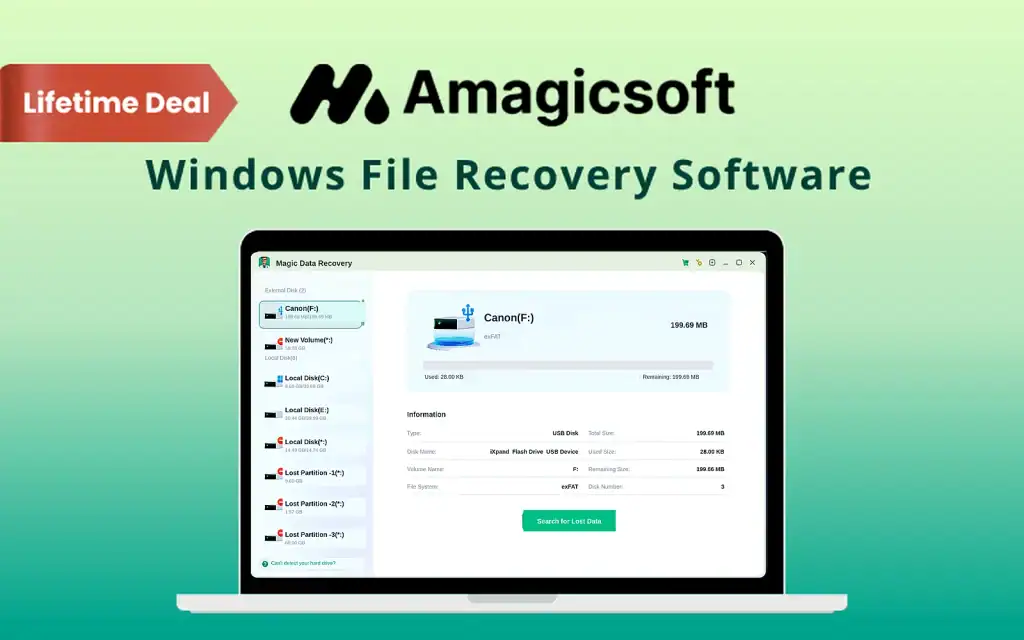
Magic Data Recovery Professional is a Windows file recovery software solution designed to help users recover lost, deleted, or inaccessible files from storage devices.
Accidental deletion, formatting, system errors, partition problems, and unexpected data loss can cause important files to disappear. A dedicated recovery tool can provide users with another option for locating and restoring files without immediately turning to professional data recovery services.
Magic Data Recovery Professional provides recovery-focused tools designed to help Windows users search for recoverable data and restore important files.
Recover Lost Files Without Complicated Tools
Accidentally deleted an important file? Formatted the wrong drive? Or lost files after a system crash?
Losing important data can happen when you least expect it.
That’s why Magic Data Recovery gives Windows users a simple way to find and restore lost files.
What is Magic Data Recovery?
Magic Data Recovery is a professional Windows file recovery software designed to restore deleted, formatted, corrupted, or inaccessible files.
It supports more than 5,000 file types, including –
- Documents
- Photos
- Videos
- Audio Files
- Emails
- Archives
- Databases
- Disk Images
- RAW Camera Files
The software works with HDDs, SSDs, USB drives, SD cards, memory cards, digital cameras, and other storage devices.
All recovery operations happen locally on your computer, so your files are never uploaded to the cloud.
Recover Lost Files With a Dedicated Recovery Tool
Data loss can happen for many reasons. Files may be accidentally deleted, a storage device may become inaccessible, or a formatting operation may remove important information.
Magic Data Recovery Professional is designed to scan storage media and help users locate recoverable files. The software can support recovery workflows for documents, photos, videos, archives, and other common file types, depending on the condition of the storage device.
Introduction to Magic Data Recovery
Magic Data Recovery Features
Start Recovering Lost Files in Minutes:
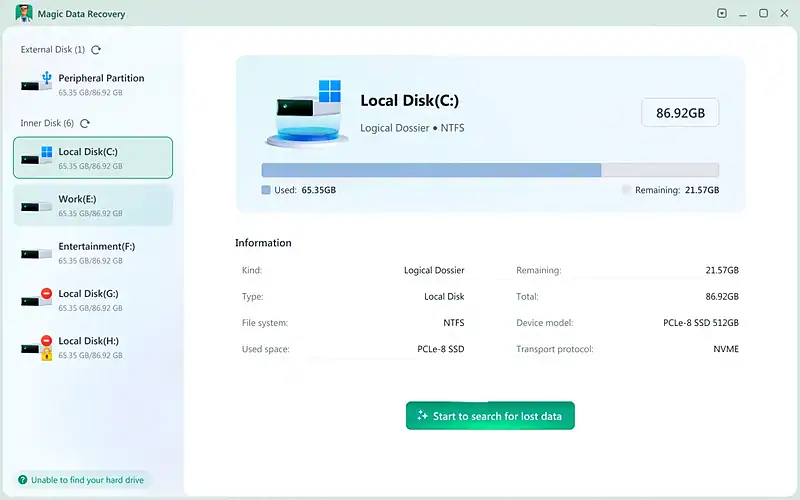
- Launch the lightweight recovery tool with an easy-to-use interface
- Recover documents, photos, videos, audio, emails, archives, and databases
- Support 5,000+ file types and formats
- No technical expertise required
Find Lost Data from Any Storage Device:
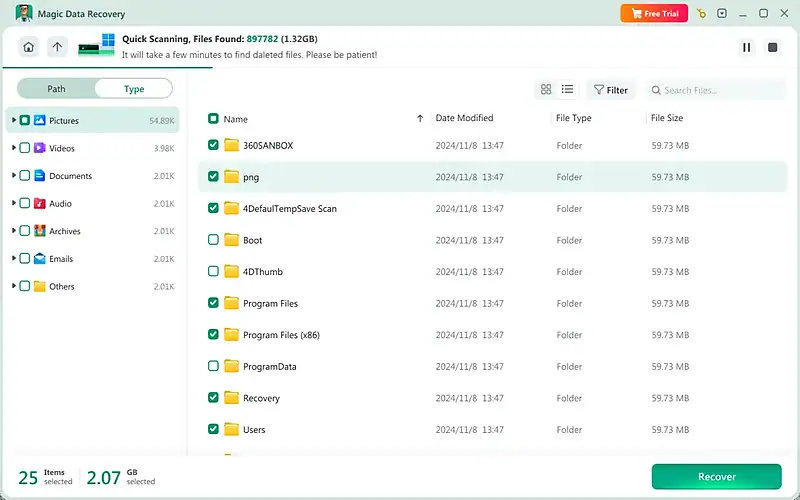
- Scan HDDs, SSDs, USB drives, SD cards, memory cards, and digital cameras
- Recover data from deleted, formatted, RAW, corrupted, or inaccessible drives
- Use Quick Scan or Deep Scan for different data-loss situations

Preview Files Before You Recover Them:
- Preview photos, videos, documents, audio, archives, and more
- Search and filter results by file name, type, size, and other attributes
- Select only the files you want to restore
- Check recoverable data before saving it
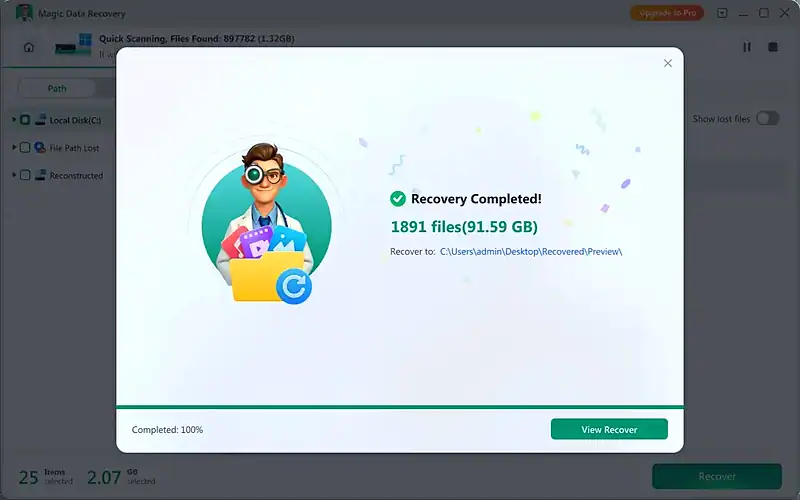
Restore Your Files Safely & Privately:
- Recover selected files to a separate destination drive
- Preserve original file names and folder structures when possible
- Recover 5,000+ supported file formats
- Keep your data private with zero cloud uploads
Supported Storage Devices:
- Internal Hard Drives
- External Hard Drives
- SSDs
- USB Flash Drives
- SD Cards
- microSD Cards
- CF Cards
- XD Cards
- Digital Cameras
- Camcorders
- Removable Storage Devices
- Disk Partitions
Why Choose Magic Data Recovery?
- Recover accidentally deleted files
- Restore data from formatted drives
- Handle corrupted and inaccessible storage
- Support thousands of file formats
- Recover data from multiple storage devices
- Preview files before restoring them
- Search and filter recovery results
Recover Important Documents and Media
Lost data can include everything from business documents and spreadsheets to family photographs, videos, presentations, and project files.
Magic Data Recovery Professional provides a recovery environment that can help users search storage devices for recoverable files and restore data when possible.
The software can be useful for both personal and professional recovery situations.
Useful for Different Data Loss Situations
Accidentally Deleted Files
Files deleted by mistake may sometimes remain recoverable until their storage space is overwritten. Recovery software can help users scan for available data.
Formatted Storage
Formatting a drive can make existing files inaccessible. A recovery scan can help determine whether recoverable information remains.
Partition Problems
Damaged or inaccessible partitions can prevent normal access to files. Recovery tools can help users investigate the storage device and search for available data.
Unexpected File Loss
System issues, storage errors, or other unexpected events can result in missing files. A dedicated recovery application provides another option for attempting recovery.
Simple Recovery Workflows
When data loss occurs, users may not always know what caused the problem or whether a file can still be recovered.
A dedicated recovery application can simplify the initial investigation by allowing users to scan storage media and identify files that may be available for recovery.
Magic Data Recovery Professional is designed to make this process more accessible to Windows users.
Help Recover Files Before They Are Lost Permanently
Deleted files are not necessarily recoverable indefinitely. Continued use of an affected storage device can overwrite data and reduce the possibility of successful recovery.
For this reason, a recovery tool can be useful when action is taken promptly after data loss.
Magic Data Recovery Professional gives users an option for scanning affected storage and attempting to retrieve available files.
Recovery success is not guaranteed and depends on factors such as the type of data loss, storage condition, and whether the original data has been overwritten.
Support a Broader Data Protection Strategy
Data recovery software should complement, rather than replace, regular backups.
Businesses and individuals can use Magic Data Recovery Professional as a recovery resource while continuing to maintain reliable backups of important files.
A combination of backups, responsible storage practices, and recovery tools can provide a more comprehensive approach to managing digital data.
Why Consider the Magic Data Recovery Professional Lifetime Deal?
The Magic Data Recovery Professional Windows File Recovery Software Lifetime Deal provides long-term access to the software without requiring a traditional recurring subscription for the lifetime license, subject to the specific terms of the offer.
For Windows users who want a dedicated file recovery tool available when unexpected data loss occurs, lifetime access can provide a convenient addition to a software toolkit.
A Practical Option for Windows Data Recovery
Magic Data Recovery Professional is designed to help Windows users search for and recover potentially recoverable files from storage devices.
Whether the situation involves accidental deletion, formatting, partition issues, or unexpected file loss, the software provides recovery-focused tools for investigating affected storage and attempting to restore important data.
Get the Magic Data Recovery Professional Lifetime Deal
For home users, professionals, photographers, content creators, businesses, and IT specialists, Magic Data Recovery Professional provides a dedicated Windows solution for file recovery.
The Magic Data Recovery Professional Windows File Recovery Software Lifetime Deal offers long-term access to tools designed to help locate and recover lost or inaccessible files when recovery is technically possible.
You may also like



Share Now!
Latest Lifetime Deals









Featured Lifetime Deals










Related Products
Popular & Trending


Featured Products