
WhiteboardMaker Windows Desktop App Lifetime Deal
in Dealify Lifetime Deals , Productivity Lifetime Deals , Utilities Lifetime DealsChoose Your Desired Option(s)
Turn Ideas Into Visual Plans with a Simple Windows Whiteboard App
Ideas often become easier to understand when they can be seen, arranged, and explored visually. Whether planning a project, explaining a concept, brainstorming solutions, or organizing information, a digital whiteboard can provide a flexible space for turning thoughts into clear visual representations.
WhiteboardMaker is a Windows desktop application designed to make visual brainstorming and whiteboard creation more accessible. It gives users a dedicated digital space to develop ideas, arrange information, and communicate concepts in a more visual way.
For students, educators, professionals, and creative thinkers, WhiteboardMaker offers a practical approach to capturing ideas and giving them structure.
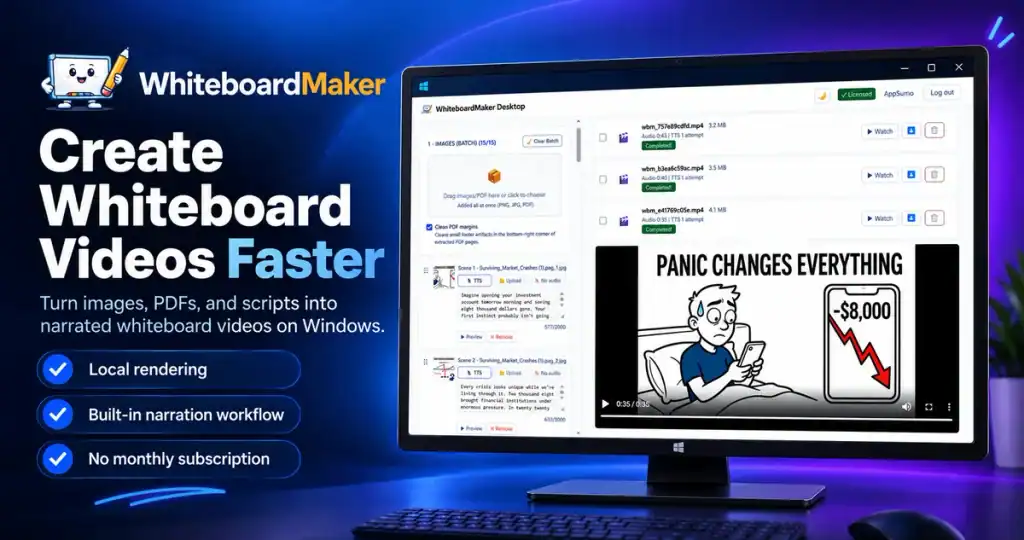
Want to create engaging videos without showing your face, juggling multiple tools, or paying monthly rendering fees?
WhiteboardMaker helps you turn images, PDF pages, and scripts into narrated whiteboard videos for YouTube, TikTok, Reels, and more, all from one Windows desktop app.
Create educational content, explainers, storytelling videos, and faceless channel content with a streamlined workflow that gives you more control over production.
- Turn content into videos: Transform images, PDF pages, and scripts into animated whiteboard videos.
- Add AI narration: Generate narrated videos in multiple languages or upload your own audio.
- Produce more in less time: Create individual scenes or process multiple scenes in batches, then merge them into a single MP4.
- Keep production costs predictable: Render videos locally on your Windows computer with unlimited local video generation and no per-video rendering credits.
- Pay once, create for life: Get lifetime access without a recurring WhiteboardMaker subscription.
Whether you’re building a faceless YouTube channel or producing educational content for clients, WhiteboardMaker helps you simplify production and publish more consistently.
What Is WhiteboardMaker?
WhiteboardMaker is a Windows desktop whiteboard application designed to support visual thinking, brainstorming, and idea organization.
Instead of relying entirely on handwritten notes or lengthy text documents, users can work with a visual whiteboard environment to represent information in a more intuitive format.
The application is suited to activities where ideas need to be explored, connected, explained, or presented. From planning sessions and learning activities to creative projects and everyday organization, a digital whiteboard can help make complex thoughts easier to communicate.
How It Works
Key Features and Benefits
Digital Whiteboard Workspace
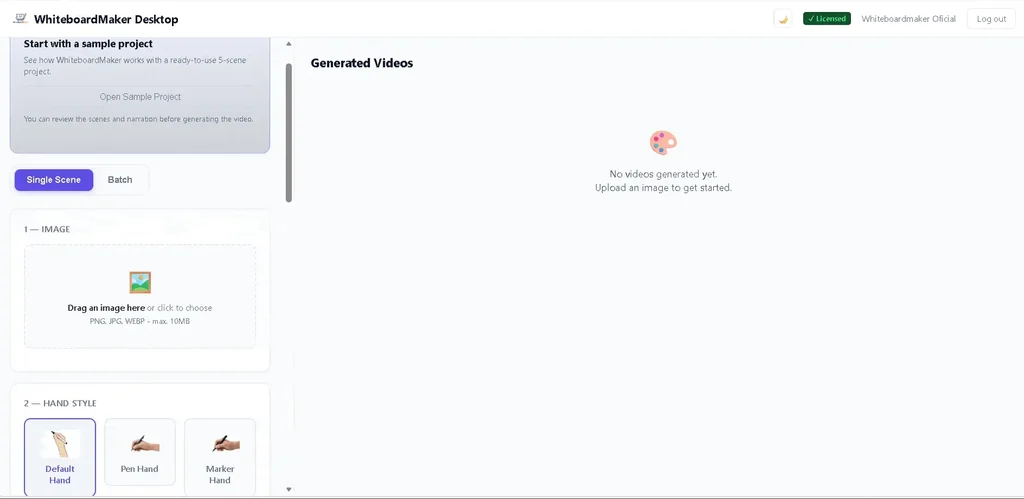
Create a visual space for capturing and organizing ideas. A digital whiteboard provides an alternative to traditional paper-based brainstorming and can make information easier to arrange.
Visual Brainstorming
Explore ideas in a more flexible format. Visual brainstorming can help individuals and groups develop concepts, consider different possibilities, and organize their thinking.
Idea Organization
Bring related information together within a visual workspace. This can help users identify connections, group concepts, and create a clearer picture of a subject or project.
Windows Desktop Convenience
Use a dedicated desktop application on a compatible Windows computer. A desktop-based workspace offers a convenient way to access whiteboard activities as part of a regular computer workflow.
Support for Learning and Teaching
Educators and students can use visual whiteboarding as an aid for explaining topics, arranging information, and exploring concepts in an engaging format.
Flexible Creative Applications
Apply whiteboarding to a variety of activities, including planning, brainstorming, outlining, concept development, and visual communication.
Who Can Benefit from WhiteboardMaker?
WhiteboardMaker can be useful for individuals and professionals who prefer visual approaches to thinking and organizing information.
- Teachers and Educators: Develop visual explanations and support classroom learning activities.
- Students: Organize study topics, explore concepts, and create visual learning materials.
- Business Professionals: Use whiteboarding for planning, brainstorming, and communicating ideas.
- Project Teams: Explore project concepts and arrange information during planning discussions.
- Entrepreneurs: Map out business ideas, strategies, and potential opportunities.
- Creative Professionals: Develop concepts and organize creative thinking in a visual workspace.
- Personal Productivity Enthusiasts: Turn scattered thoughts into more structured visual plans.
Why Use a Digital Whiteboard?
Traditional notes and documents are useful, but they do not always provide the flexibility needed for visual thinking. Ideas can become difficult to follow when information is presented only as paragraphs or disconnected lists.
A digital whiteboard offers a more visual way to explore and organize information.
WhiteboardMaker can support this approach by providing a dedicated environment for:
- Clearer Idea Presentation: Visual layouts can make concepts easier to understand and explain.
- Flexible Brainstorming: Explore thoughts without being restricted to a conventional document format.
- Better Information Organization: Arrange related ideas in a way that makes connections easier to recognize.
- More Engaging Learning: Support visual explanations and interactive teaching approaches.
- Convenient Desktop Access: Keep whiteboard activities available through a Windows desktop application.
A Practical Tool for Everyday Visual Thinking
Whiteboarding is not limited to business meetings or formal presentations. It can be useful whenever ideas need to be explored, developed, or communicated.
Students can use visual layouts to organize learning material. Teachers can build clearer explanations around difficult topics. Professionals can map out plans and brainstorm potential solutions. Creative individuals can use a visual workspace to develop early-stage concepts.
WhiteboardMaker brings these possibilities to a dedicated Windows application, offering a digital alternative for people who prefer to think visually.
Get Long-Term Value with the WhiteboardMaker Lifetime Deal
The WhiteboardMaker Lifetime Deal offers an opportunity to obtain the Windows desktop application through a one-time purchase, subject to the specific terms of the offer.
For individuals who regularly use visual brainstorming and whiteboarding, lifetime access may provide an attractive alternative to recurring software subscription costs.
Before purchasing, buyers should confirm the supported Windows versions, included application features, activation and device limits, update policy, and any restrictions attached to the lifetime license.
Bring Ideas to Life with WhiteboardMaker
Great ideas deserve a space where they can be explored, organized, and communicated clearly. WhiteboardMaker provides a dedicated digital whiteboard environment for users who want to make visual thinking part of their everyday workflow.
From brainstorming and learning to planning and creative development, the application offers a practical way to move beyond traditional notes and embrace a more visual approach to organizing ideas.
You may also like


Share Now!
Latest Lifetime Deals








Featured Lifetime Deals









Related Products
Popular & Trending


Featured Products