

What Is Utility Software? Types Explained, Features, and Benefits
in AI Tools, Analytics, Client Management, Cloud Storage, Lifetime Software Access, Online Security, Productivity, Software AlternativesThe Essential Guide to Optimizing, Securing, and Maintaining Your Computer’s Peak Performance

In the vast landscape of computing, utility software plays a crucial, often unsung, role in ensuring the smooth and efficient operation of our computer systems. In addition, these indispensable tools work continuously behind the scenes, not only to optimize performance and protect data, but ultimately to maintain the overall health of your device.
Understanding Utility Software
Utility software plays a vital role in maintaining, protecting, and optimizing modern computer systems. Consequently, whether you’re using a personal computer, laptop, or business workstation, utility software ultimately helps ensure your device operates efficiently, securely, and reliably.
Unlike application software that focuses on user tasks such as word processing, graphic design, or web browsing, utility software is specifically designed to support the operating system and improve the overall performance of a computer. These specialized tools help manage system resources, protect data, enhance security, and keep hardware and software running smoothly.
As technology continues to evolve, utility software remains a critical component of every computing environment, helping users prevent issues before they become costly problems.
Definition of Utility Software
Utility software is a type of system software designed to analyze, configure, optimize, monitor, and maintain a computer system. A computer utility performs specific maintenance and management functions that support the operation of the operating system and hardware components.
Unlike application programs that help users complete everyday tasks, utility software works behind the scenes to improve system performance, enhance security, and ensure reliable operation.
Utility software can assist with:
Disk management and optimization
File management and organization
System monitoring and diagnostics
Data backup and recovery
Security and malware protection
Performance optimization
Because utility software helps maintain the health of a computer system, it is considered an essential part of modern computing infrastructure.

Importance of Utility Software in Computing
The importance of utility software in computing cannot be overstated. In today’s digital environment, software is essential for maintaining system stability, improving performance, and protecting valuable information.
Without utility software, computer systems can become slow, vulnerable to threats, and more prone to data loss.
Protecting Against Security Threats
One of the primary reasons utility software is important is cybersecurity.
Antivirus software is essential for detecting, preventing, and removing malware, ransomware, spyware, and viruses that can compromise a computer system.
Security utilities help:
Detect malicious software
Monitor suspicious activity
Block cyber threats
Protect sensitive information
Improve online security
For both individuals and businesses, antivirus software is essential for maintaining a secure computing environment.
Improving System Performance
Over time, computers accumulate temporary files, duplicate data, unused programs, and other digital clutter that can reduce efficiency.
Utility software helps:
Remove unnecessary files
Optimize storage space
Improve system speed
Enhance overall performance
Reduce system errors
These optimization tools ensure that computers continue operating efficiently even after years of use.
Safeguarding Data
Data loss can occur due to hardware failures, software issues, accidental deletion, or cyberattacks.
Backup and recovery utilities help users:
Create secure backups
Restore lost files
Recover damaged data
Protect important documents
By implementing reliable backup solutions, users can minimize downtime and protect valuable information.
Supporting System Maintenance
Utility software also assists with routine maintenance tasks that keep systems healthy and operational.
These tasks include:
Monitoring hardware performance
Checking disk health
Managing storage resources
Updating system components
Diagnosing technical issues
Regular maintenance helps extend the lifespan of both hardware and software.

Common Examples of Utility Software
There are many utility software programs available today, each designed to perform specific maintenance, optimization, or security functions.
Antivirus Software
Security tools are among the most widely used utility programs.
Examples include software that:
Scans for malware
Removes viruses
Monitors network activity
Protects against phishing attacks
Because cyber threats continue to evolve, antivirus software is essential for both home and business users.
Backup and Recovery Software
Backup utilities help protect critical files and ensure business continuity.
These tools can:
Create automatic backups
Store data securely
Recover lost files
Restore entire systems after failures
Disk Management Utilities
Disk management tools help optimize storage devices and improve system efficiency.
Functions often include:
Disk cleanup
Defragmentation
Partition management
Storage analysis
File Compression Utilities
Compression software reduces file sizes, making storage and sharing more efficient.
Benefits include:
Faster file transfers
Reduced storage usage
Easier file management
Encryption Software
Encryption utilities protect sensitive information by converting data into secure formats that can only be accessed with proper authorization.
These tools are commonly used for:
Data protection
Secure communications
Privacy enhancement
Regulatory compliance
System Monitoring and Diagnostic Tools
These utilities monitor hardware and software performance in real time.
They help users:
Identify performance bottlenecks
Monitor resource usage
Detect hardware problems
Troubleshoot system issues
Common Types of Utility Software
The following table highlights the most common types of utility software and their primary functions within a computer system.
| Type of Utility Software | Primary Purpose | Common Functions |
|---|---|---|
| Antivirus Software | Protects against malware and cyber threats | Virus scanning, malware removal, real-time protection, phishing prevention |
| Backup and Recovery Software | Safeguards data and enables recovery | File backups, system image creation, disaster recovery, data restoration |
| Disk Management Utilities | Optimizes storage devices and disk performance | Disk cleanup, partition management, defragmentation, storage analysis |
| File Compression Software | Reduces file size for storage and sharing | ZIP file creation, file compression, archive management, faster transfers |
| Encryption Software | Protects sensitive information from unauthorized access | Data encryption, secure file storage, password protection, privacy enhancement |
| Registry Cleaners | Improves Windows system performance | Registry scanning, error correction, removal of obsolete entries |
| System Monitoring Tools | Tracks hardware and software performance | CPU monitoring, memory tracking, temperature monitoring, performance analysis |
| Network Utilities | Manages and monitors network connections | Network diagnostics, bandwidth monitoring, IP configuration, connectivity testing |
| Data Synchronization Software | Keeps files consistent across devices | Cloud syncing, file replication, automatic updates, backup synchronization |
| Performance Optimization Tools | Improves overall system speed and efficiency | Startup management, memory optimization, junk file removal, performance tuning |
| File Management Utilities | Organizes and manages files and folders | File searching, duplication removal, folder organization, file transfers |
| Software Update Utilities | Keeps applications and systems current | Automatic updates, patch management, security updates, version control |
| Password Management Software | Secures login credentials and sensitive information | Password generation, secure storage, autofill, credential management |
| Data Recovery Software | Retrieves lost or deleted files | Deleted file recovery, partition recovery, damaged drive restoration |
| System Diagnostic Utilities | Identifies and troubleshoots technical issues | Hardware testing, error detection, system health reports, troubleshooting |
| Firewall Utilities | Provides an additional layer of network security | Traffic monitoring, intrusion prevention, network access control |

Why Utility Software Is Essential
Utility software is essential because it helps maintain the health, security, and performance of a computer system. Whether you’re using antivirus software, backup tools, disk management utilities, or performance optimization software, each computer utility plays a critical role in keeping systems running efficiently and securely.
Understanding the common types of utility software helps users select the right tools for improving system performance, protecting data, and ensuring long-term reliability. By implementing the appropriate utility software, individuals and businesses can create a more secure, efficient, and productive computing environment.
Types of Utility Software
There are many types of utility software available today, each designed to help maintain, protect, optimize, and improve the functionality of a computer system. These essential system utilities perform specialized tasks that support both hardware and software operations, ensuring users enjoy a faster, more secure, and more reliable computing experience.
Whether you want to improve storage management, protect your data, optimize performance, or enhance system security, there are various utility tools designed to meet your needs. Understanding these software categories can help you choose the right tools to keep your computer running efficiently while maximizing overall system performance.
Modern utility software works alongside operating systems to manage critical software components, improve system stability, and protect against threats that could impact productivity.
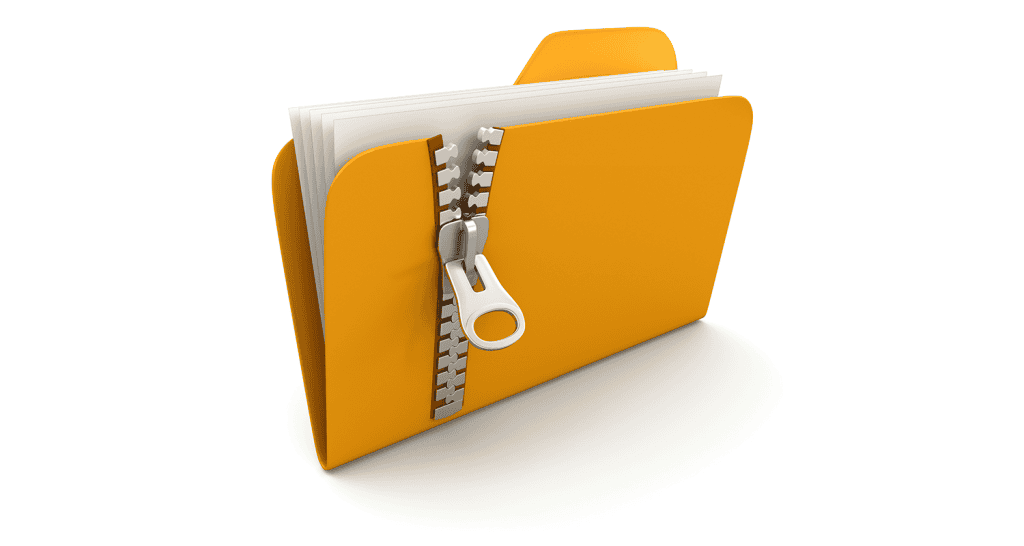
File Compression Software
File compression software is a popular type of utility software that reduces the size of files and folders without permanently removing data. By creating compressed files, these utilities help users save storage space and transfer files more efficiently.
Key Benefits of File Compression Software
File compression tools help users:
Reduce file sizes for easier storage
Speed up file transfers and downloads
Save valuable disk space
Organize large collections of files
Simplify file sharing and backups
Popular file compression formats include ZIP, RAR, and 7Z files. Businesses and individuals frequently use compression software to archive documents, transfer large media files, and improve storage efficiency.
For users who regularly manage large amounts of data, file compression remains one of the most valuable system utilities available.
Antivirus Software
Antivirus software is one of the most important types of utility software because it protects computer systems from malware, viruses, ransomware, spyware, and other cyber threats.
This essential utility continuously monitors system activity, scans files, and identifies suspicious behavior before it can damage the computer.
Why Antivirus Software Is Essential
Effective antivirus software helps:
Detect and remove malware
Protect sensitive information
Prevent unauthorized access
Block phishing attacks
Improve system security
One of the most important best practices is regularly updating your antivirus software. Cybercriminals constantly develop new threats, and software updates ensure your protection remains current against emerging attacks.
Many security experts recommend combining antivirus and encryption software to create a more comprehensive security strategy for both personal and business use.
By keeping security tools updated and active, users can significantly reduce cybersecurity risks and maintain a safer computing environment.
Disk Cleanup Tools
Disk cleanup tools are designed to identify and remove unnecessary files that accumulate over time. These files often consume storage space and can negatively affect computer performance.
A quality disk cleanup software solution scans the system for temporary files, cached data, outdated logs, and other unnecessary content that no longer serves a useful purpose.
Benefits of Disk Cleanup Software
Disk cleanup utilities help:
Remove temporary files
Free up valuable disk space
Improve system responsiveness
Reduce storage clutter
Enhance overall system performance
Over time, unnecessary files can accumulate and slow down a computer. Regular use of disk cleanup software helps maintain system efficiency and ensures optimal performance.
For users who want to keep your computer running smoothly, disk cleanup tools are among the most useful utility tools available.
Backup and Recovery Software
Backup and recovery software is a critical type of utility software that protects important files and system data from accidental loss, hardware failures, software corruption, and cyberattacks.
These tools create copies of data that can be restored when needed, helping individuals and businesses avoid costly downtime.
Key Features of Backup and Recovery Software
Backup utilities typically provide:
Automatic backup scheduling
Cloud and local storage options
File restoration capabilities
System image creation
Disaster recovery support
In today’s digital world, data protection is essential. Backup software helps safeguard critical business information and personal files while ensuring fast recovery when unexpected issues occur.
For organizations managing software, applications, and important documents, backup and recovery tools provide an essential layer of protection.
Registry Cleaners and Disk Defragmenters
Disk defragmenters and registry cleaners are specialized utility programs designed to improve system efficiency and optimize operating system performance.
Registry Cleaners
Registry cleaners scan the Windows Registry and remove invalid or outdated entries that may accumulate over time.
Benefits include:
Removing obsolete registry entries
Improving system stability
Reducing software conflicts
Supporting better performance
Because the registry contains critical system settings and software components, keeping it organized can contribute to smoother operation.
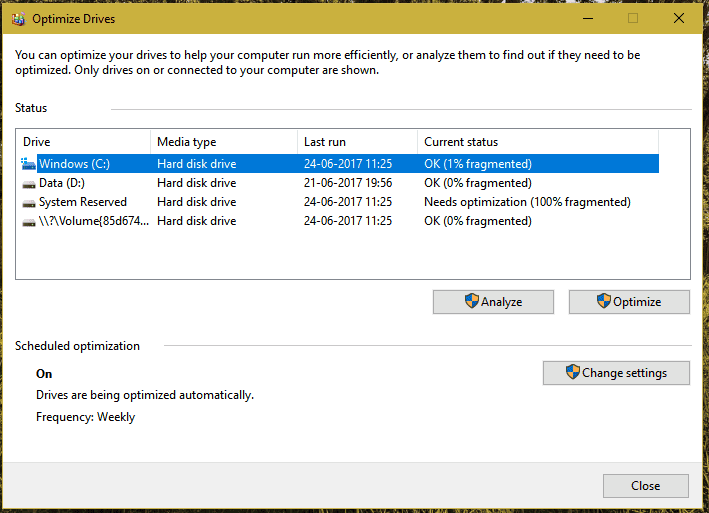
Disk Defragmenters
Disk defragmenters reorganize fragmented data stored on traditional hard drives. When files become fragmented, the operating system must work harder to access them.
Disk defragmentation helps:
Improve file retrieval speeds
Reduce drive workload
Improve access times and overall system responsiveness
Enhance storage efficiency
Although modern solid-state drives (SSDs) generally do not require traditional defragmentation, these utilities remain useful for systems using conventional hard disk drives.
Together, registry cleaners and disk defragmenters help improve overall system performance and ensure that the operating system functions as efficiently as possible.
Why Utility Software Matters
Utility software plays a crucial role in maintaining the health, security, and performance of a computer system. Whether you’re using file compression software, antivirus programs, backup solutions, or optimization tools, these system utilities help users manage resources effectively and protect valuable data.
From managing software and storage to improving security and enhancing performance, utility software helps users maintain a stable and efficient computing environment. By selecting the right utility tools and regularly updating your antivirus software, you can significantly improve productivity, protect your information, and keep your computer operating at peak performance.
Features of Utility Software
Utility software includes a wide range of features designed to maintain, optimize, protect, and enhance a computer system. These specialized software programs perform essential maintenance tasks that help improve efficiency, strengthen security, and extend the lifespan of both hardware and software.
Unlike standard applications that focus on user productivity, utility software works behind the scenes to support the operating system, improve system reliability, and ensure that software and hardware function together effectively. For anyone looking to maintain a healthy and secure computing environment, software is crucial for ensuring smooth operation and long-term performance.
Understanding the key features of lifetime software helps users determine why they need utility software and how these tools contribute to a more efficient computing experience.
System Performance Improvement Tools
One of the most important features of utility software is its ability to improve and optimize computer performance.
Over time, computers accumulate temporary files, unused programs, fragmented data, and outdated system information that can negatively impact speed and efficiency. Utility software helps identify and resolve these issues.

Disk Cleanup and Storage Optimization
Many utility programs include disk cleanup tools that remove:
- Temporary files
- Cache files
- Duplicate files
- Unused system data
By eliminating unnecessary files, these tools help free up storage space and improve overall responsiveness.
Registry and System Optimization
Registry cleaners and optimization tools help streamline system operations by removing obsolete entries and correcting configuration issues.
Benefits include:
- Faster system startup times
- Improved application performance
- Reduced software conflicts
- Better system stability
Disk Defragmentation and Storage Management
Disk optimization utilities improve file organization on traditional hard drives, resulting in faster file retrieval and better performance.
These tools help improve:
- Data access speeds
- Storage efficiency
- Boot times
- Times and overall system performance
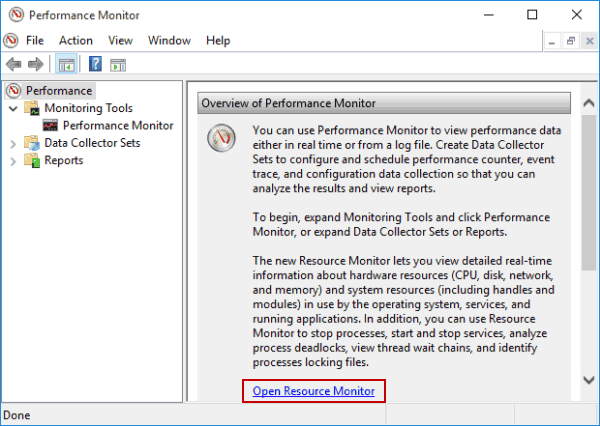
Hardware and Resource Monitoring
Many utility programs also include monitoring tools that track:
- CPU usage
- Memory consumption
- Disk performance
- System temperatures
These features help users identify bottlenecks and optimize their systems for maximum efficiency.
Ease of Use and User Interface
Modern utility software is designed to be user-friendly and accessible, even for people with limited technical knowledge.
Intuitive Dashboards and Controls
Most utility programs provide:
- Easy-to-navigate dashboards
- One-click optimization features
- Automated scanning and maintenance
- Visual performance reports
This simplifies system maintenance and allows users to quickly identify and resolve issues.
Automated Maintenance Features
Many utility programs automate routine maintenance tasks such as:
- Disk cleanup
- Malware scanning
- Software updates
- Backup scheduling
Automation reduces the need for manual intervention and ensures systems remain optimized without requiring constant attention.
Accessibility for All Users
A well-designed utility program makes advanced system maintenance available to everyone, not just IT professionals. This user-friendly approach allows home users and businesses alike to benefit from improved performance and security.
Whether you need security software for protection or optimization tools for maintenance, modern utility software makes these tasks easy to perform.

Integration with Other Software Tools
Another valuable feature of utility software is its ability to integrate with alternative applications and system components.
Seamless System Integration
Utility software often works closely with the operating system to help the system to communicate with hardware efficiently. This integration ensures smooth interaction between software applications, hardware devices, and operating system services.
Examples include:
- Driver management tools
- Hardware monitoring software
- Device optimization utilities
These tools help maintain compatibility and improve system reliability.
Security Tool Integration
Security-focused utilities frequently work together to provide comprehensive protection.
For example:
- Antivirus software can integrate with firewall solutions
- Backup tools can coordinate with security software
- Monitoring utilities can detect unusual activity
This layered approach improves overall security and system management.
Data Protection and Encryption
Many utility suites include encryption software that help users protect sensitive files and personal information.
These tools provide:
- File encryption
- Secure storage
- Password protection
- Privacy management
Combined with antivirus protection, encryption utilities create a stronger defense against cyber threats.
File Management and Compression Integration
File management utilities often work alongside compression tools to improve storage efficiency.
A third-party compression utility can integrate with operating systems and file managers to:
- Create compressed archives
- Reduce file sizes
- Simplify file sharing
- Improve backup efficiency
This integration helps users manage large volumes of data more effectively.

Security and Protection Features
Security remains one of the most valuable features of utility software.
Malware and Virus Protection
Because cyber threats continue to evolve, many users need antivirus software to protect their systems from:
- Viruses
- Ransomware
- Spyware
- Phishing attacks
Antivirus solutions continuously monitor systems and help prevent security breaches.
Backup and Recovery
Backup utilities provide:
- Automated backups
- File restoration
- Disaster recovery solutions
- Cloud backup options
These features protect against accidental data loss and hardware failures.
Privacy and Encryption Tools
Utility software often includes privacy features such as:
- Secure file deletion
- Encryption tools
- Password management
- Identity protection
These capabilities help safeguard sensitive information from unauthorized access.

Benefits of Using Utility Software
Utility software plays a critical role in maintaining the health, security, and efficiency of modern computer systems. Whether used by individuals, businesses, or IT professionals, utility software helps optimize performance, protect valuable data, and simplify system management.
Because utility software comprises a wide range of specialized tools, it can address many common computing challenges, including slow performance, storage limitations, security threats, and data loss. From disk cleanup programs to backup solutions and antivirus protection, utility software provides essential functionality that helps users maximize the performance and lifespan of their devices.
For anyone looking to manage and maintain their computer, utility software is an indispensable part of a reliable computing environment.
Enhancing System Performance
One of the most significant advantages of utility software is its ability to improve and optimize computer performance.
Over time, operating systems accumulate temporary files, outdated data, duplicate content, and other unnecessary items that can reduce system efficiency. Utility software helps eliminate these issues and restore optimal performance.
Freeing Up Storage Space
Many utility programs include disk cleanup features that identify and remove unnecessary files from the system.
These tools help:
Delete temporary files
Remove cache data
Eliminate duplicate files
Clean outdated system logs
By removing these files, users can increase the free space of the computer, allowing the operating system to run more efficiently.
Improving Speed and Responsiveness
Optimization tools work to improve:
Startup times
Application performance
System responsiveness
Resource management
Registry cleaners, memory optimization tools, and disk management utilities help streamline system operations, resulting in a faster and smoother user experience.
Supporting Long-Term System Health
Regular maintenance helps users maintain their computer systems and prevent performance degradation over time.
When properly configured, utility software can automate maintenance tasks, ensuring computers continue operating at peak efficiency with minimal effort.
As a result, utility software is crucial for users who want reliable and consistent system performance.

Data Protection and Recovery
Protecting important files and sensitive information is another major advantage of utility software.
Data loss can occur due to hardware failures, accidental deletions, software corruption, malware attacks, or other unexpected events. Utility software helps minimize these risks through comprehensive security and backup solutions.
Protecting Against Cyber Threats
Security-focused utility software includes tools such as:
Antivirus software
Anti-malware solutions
Firewall utilities
Encryption programs
These tools protect systems from malicious software and unauthorized access while helping safeguard personal and business data.
Backup and Recovery Capabilities
These are among the most valuable system maintenance tools available.
Backup software allows you to create secure copies of important files, folders, applications, and even entire system images.
Key benefits include:
Automatic backup scheduling
Data restoration capabilities
Disaster recovery protection
Cloud and local backup options
In the event of hardware failure or accidental deletion, backup and recovery tools can quickly restore critical information and minimize downtime.
Improved Business Continuity
For businesses, data protection is essential for maintaining operations and reducing risk. Utility software provides the tools needed to secure valuable information and recover quickly from unexpected disruptions.
This makes backup and recovery solutions an important part of any comprehensive IT strategy.

Efficient File Management
Managing files efficiently is essential for maintaining an organized and productive computing environment.
Utility software offers a variety of tools designed to simplify file storage, organization, and transfer.
File Compression and Storage Optimization
File compression utilities help reduce file sizes while preserving data integrity.
Benefits include:
Reduced storage requirements
Faster file transfers
Improved backup efficiency
Easier file sharing
After a simple software download and installation, these tools can significantly improve storage management and productivity.
Organizing and Managing Files
File management utilities help users:
Locate files quickly
Organize folders efficiently
Remove duplicate content
Manage storage resources
These tools are particularly useful for users who work with large volumes of data or multiple storage devices.
Improving Storage Efficiency
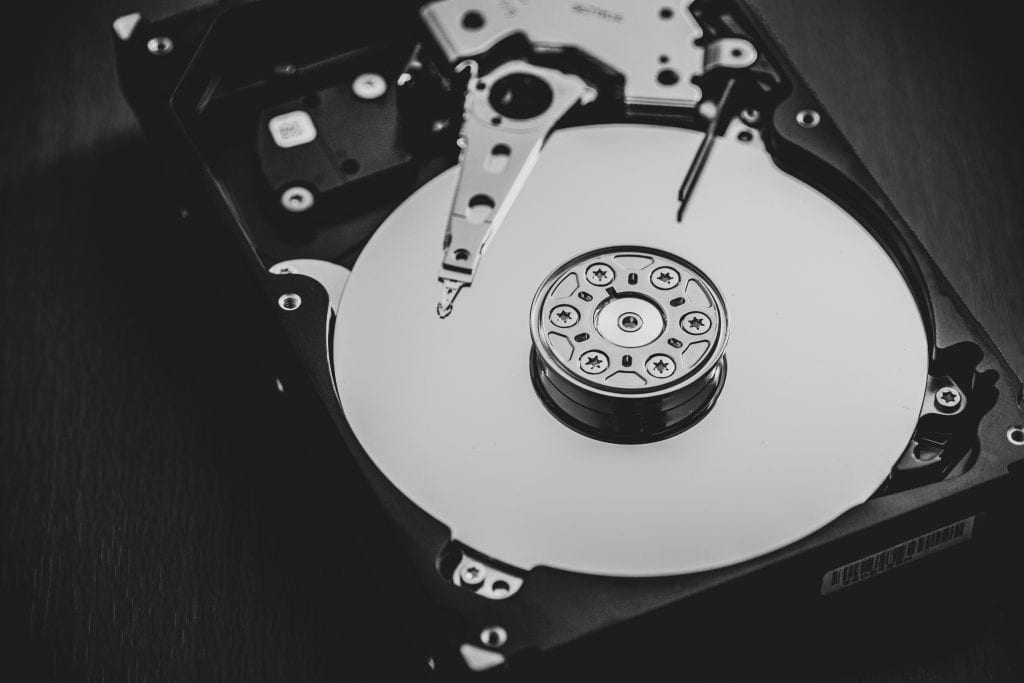
Many utility programs help optimize hard drive usage by:
Identifying large files
Removing unnecessary data
Consolidating fragmented storage
Improving file access speeds
This contributes to a cleaner and more organized system while helping users manage and maintain their computer more effectively.
Choosing the Right Utility Software
Selecting the right utility software is essential for maintaining a secure, efficient, and reliable computer system. With so many utility tools available, choosing the best solution requires careful consideration of your specific needs, system requirements, and long-term goals.
Whether you’re looking to improve system performance, enhance security, protect important data, or free up disk space, the right utility software can make a significant difference in how well your computer operates. Understanding the available options and evaluating their features will help you maximize the benefits of lifetime software while ensuring optimal performance.
Assessing Your Needs for Utility Software
Before choosing a utility program, it is important to identify your specific requirements and determine which areas of your computer system need the most attention.
Identify Performance Issues
Start by evaluating your current system performance. Ask yourself:
Is your computer running slowly?
Are you running out of storage space?
Do you frequently experience crashes or errors?
Are security threats a concern?
Understanding these challenges will help you select the most appropriate utility software for your environment.
Determine Your Primary Goals
Different utility tools serve different purposes. Common objectives include:
Improving system speed and responsiveness
Protecting against malware and cyber threats
Backing up critical data
Managing files and storage
Optimizing operating system performance
By identifying your priorities, you can focus on software solutions that deliver the greatest value.
Consider Long-Term Maintenance
The true utility software benefit comes from ongoing system optimization and protection. Choosing the best tools that support regular maintenance can help users proactively manage issues before they affect performance.
Many users discover that utilizing utility software regularly helps prevent common problems while improving overall system reliability.

Evaluating Features and Compatibility
Once you’ve identified your needs, the next step is comparing the features and compatibility of available utility software solutions.
Essential Features to Look For
Depending on your goals, useful features may include:
Real-time malware protection
Automated backups
Disk cleanup functionality
Registry optimization
File compression tools
Performance monitoring
Data encryption
For example, if your primary objective is to free up disk space, disk cleanup and storage optimization tools should be a top priority.
Compatibility With Your Operating System
Before installing any utility program, ensure it is compatible with your operating system and hardware configuration.
Check for compatibility with:
Windows
macOS
Mobile operating systems (if applicable)
Compatibility helps prevent software conflicts and ensures the utility software functions as intended after being software installed on your device.
Ease of Use and Automation
Modern utility software should offer:
User-friendly interfaces
Automated maintenance options
Scheduled scans and updates
Clear reporting dashboards
These features make it easier to manage system maintenance without requiring advanced technical knowledge.
Recommendations for Popular Utility Software Tools
Several utility software programs have earned strong reputations for reliability, performance, and ease of use.
Recommended Utility Software Categories
| Software Category | Recommended Software |
|---|---|
| Disk Cleanup and Registry Maintenance | CCleaner |
| Antivirus Software | Bitdefender, Norton Antivirus |
| Backup and Recovery Software | EaseUS Todo Backup |
| File Compression Software | WinZip, 7-Zip |
| System Monitoring Tools | HWMonitor, Speccy |
| Password Management Software | LastPass, Bitwarden |
| Disk Management Utilities | MiniTool Partition Wizard |
| Encryption Software | VeraCrypt |
These solutions offer a wide range of features designed to optimize performance, enhance security, and protect important data.
Why These Tools Are Popular
The popularity of these tools stems from the many benefits of utility software, including:
Improved system performance
Enhanced security
Better file organization
Reliable backup capabilities
Simplified maintenance
When properly configured and maintained, these tools can significantly improve the user experience and extend the lifespan of a computer system.
Finding Utility Software Tools at Best Lifetime Deals
Many premium utility software products are available through one-time purchase offers, making them an attractive alternative to subscription-based pricing models.
What Are Utility Software Lifetime Deals?
Utility software lifetime deals allow users to purchase software once and enjoy long-term access without recurring subscription fees.
These deals often include:
Lifetime software licenses
Future updates
Premium features
Long-term value
For users looking to reduce software expenses, lifetime utility software can provide significant savings over time.
Benefits of Lifetime Utility Software
Investing in lifetime utility software offers several advantages:
Lower long-term costs
No recurring subscription payments
Continuous access to essential tools
Better return on investment
These benefits make lifetime deals particularly appealing for individuals, small businesses, and IT professionals.
Where to Find Utility Software Lifetime Deals
Platforms like Best Lifetime Deals frequently feature premium utility software at discounted prices. These deals may include:
Antivirus and security tools
Backup and recovery software
File compression utilities
Performance optimization programs
System maintenance solutions
Exploring utility software lifetime deals can help users obtain premium software solutions while minimizing long-term costs.
Final Thoughts
Choosing the right utility software requires a clear understanding of your needs, careful evaluation of features, and consideration of long-term value.
Whether your goal is to improve performance, protect data, free up disk space, or enhance security, the right utility tools can dramatically improve the health and efficiency of your computer system.
By understanding the utility software benefit, evaluating compatibility, and exploring utility software lifetime deals, users can make informed decisions that maximize performance while reducing ongoing software expenses. Properly selecting and utilizing utility software is one of the most effective ways to maintain a fast, secure, and reliable computing environment.